Arduino IDE


How to use potentiometer with Arduino

  • avatar
  • 6.8K Views
  • 4 Likes
  • 4 mins read
Preview post image

A potentiometer is a simple knob that provides a variable resistance, which we can read into the Arduino board as an analog value. They can be attuned from zero ohms to whatever maximum resistance that is specific to it. For example, a potentiometer of 10 kΩ can be adjusted from 0 Ω to its maximum of 10 kΩ.

Interfacing laser diode module with Arduino

  • avatar
  • 5.8K Views
  • 2 Likes
  • 4 mins read
Preview post image

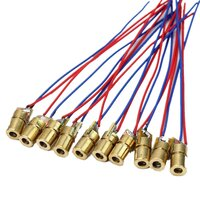
Laser modules emit highly focused beams of light, making them ideal for a wide range of applications. One of the key aspects of a laser module is its power output, typically measured in milliwatts (mW). Arduino compatible laser modules typically have a power output within the lower range ensuring safety and compatibility with the microcontroller board. It's important to note that modules require safety precautions due to their increased risk of eye damage and potential fire hazards for higher-power lasers.

DIY - Remote control car running on Arduino: code

  • avatar
  • 5.2K Views
  • 3 Likes
  • 9 mins read
Preview post image

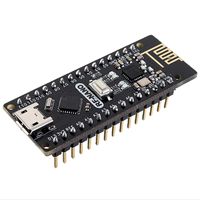
The physical assembly of the car has been completed with all the components properly installed and ready for use. The next steps involve reprogramming the Arduino Nano with the appropriate software to enable all the features, including pairing the car with the AirControl joystick via the NRF24L01 module.

 Join Our Monthly Newsletter

Get the latest news and popular articles to your inbox every month

We never send SPAM nor unsolicited emails

DIY - Remote control car running on Arduino: mounting

  • avatar
  • 4.7K Views
  • 4 Likes
  • 8 mins read
Preview post image

With the idea of making a remote-controlled car in mind, we began our investigation by disassembling the frame to uncover its internal components and understand how they work. By gaining a clear understanding of the car's original configuration, we were able to approach the modifications with greater confidence, knowing what changes were necessary and how they would integrate with the existing system.

DYI - Programmed Christmas lights

  • avatar
  • 4.1K Views
  • 10 mins read
Preview post image

Take your holiday decorations to the next level with a custom fairy light display powered by an Arduino Nano. This project blends creativity and basic electronics, allowing you to program fairy lights with unique patterns and effects that reflect your personal style. By replacing generic, store-bought solutions with something custom-made, you’ll create a decoration that’s not only festive but truly one of a kind. With accessible components and straightforward steps, it offers an engaging way to add warmth and charm to your holiday season.

DIY - Automated plants watering system

  • avatar
  • 4.3K Views
  • 2 Likes
  • 17 mins read
Preview post image

In the world of do-it-yourself (DIY) projects, few activities match the practicality of constructing your own Arduino-powered automatic watering system. Imagine a setup where technology integrates effortlessly with nature, allowing you to take control of your plant care routine. We'll break down the fundamental components of this project, highlighting the vital role of the DS1302 timekeeping module and Arduino-compatible pumps. Get ready for a hands-on approach that not only enhances your technical skills but also transforms the way you care for your plants, whether they are in the corners of your home or under the open sky.

Controlling a LED with Arduino

  • avatar
  • 4.1K Views
  • 6 mins read
Preview post image

Light Emitting Diodes (LEDs) are incredibly adaptable components often employed in electronics projects for various purposes, from indicating status to creating captivating lighting effects. When it comes to managing LEDs with an Arduino, you have the option of utilizing either digital pins or Pulse Width Modulation (PWM) pins. In this article, we'll explore the advantages of each method and provide you with a comprehensive guide on how to control LEDs using an Arduino.

Understanding SIPO Shift Registers

  • avatar
  • 3.8K Views
  • 1 Like
  • 7 mins read
Preview post image

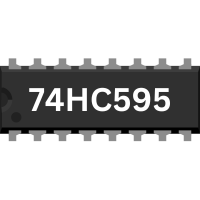
Shift registers are integral components in digital electronics, enabling efficient data management and transfer. When working on Arduino projects, you may quickly run into the issue of not having enough output pins to control all your components. This is where SIPO (Serial-In, Parallel-Out) shift registers come into play. These devices allow you to manage multiple outputs with just a few pins on your Arduino, making them a powerful tool for more complex projects involving numerous LEDs, buttons or other peripherals. This article explores why shift registers are necessary, how they function, and their practical applications with Arduino.

Connecting a motor to Arduino

  • avatar
  • 4.1K Views
  • 1 Like
  • 7 mins read
Preview post image

Arduino microcontrollers are the heart of countless DIY projects, from robots to automated systems. To bring these projects to life, you often need to interface them with motors. In this guide, we'll walk you through the essential steps of connecting a motor to an Arduino using a separate power supply while ensuring control with precision using an NPN transistor. This approach allows you to harness the full potential of your motorized creations without overloading your Arduino.

How to use an analog module with Arduino

  • avatar
  • 4.5K Views
  • 1 Like
  • 4 mins read
Preview post image

The KY-023 is an easy-to-use analog joystick. The joystick uses a biaxial potentiometer to control the X and Y axis. It also has an integrated push button. In this tutorial, it is shown how to connect the KY-023 joystick with the Arduino and how to use it.