
serial


Interfacing USB to Serial converter module

  • avatar
  • 3.5K Views
  • 1 Like
  • 3 mins read
Interfacing USB to Serial converter module

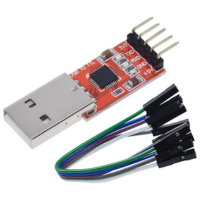
In electronic communication, the USB to UART serial converter module emerges as a crucial link, facilitating seamless data transfer between computers and UART-enabled devices. This unassuming yet indispensable device bridges the gap between USB and UART protocols. In this article, we will explore the necessity of this module, explain the user-friendly interfacing process, and highlight its critical pinout details.
Getting started with the HC-06 Bluetooth module

  • avatar
  • 2.1K Views
  • 19 mins read
Getting started with the HC-06 Bluetooth module

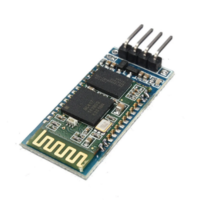
Adding wireless communication to an Arduino project usually starts with a Bluetooth serial module, and the HC-06 is one of the most common choices. It's cheap, widely available, and does one job well: it lets a phone or computer connect to your board and exchange data as if the two were joined by a cable. Four pins, one operating mode, and a small set of configuration commands is the whole picture. That simplicity comes with a real constraint though, and knowing it upfront saves time later, since the HC-06 only accepts incoming connections and can't reach out to another device on its own.

Getting started with Arduino Due

  • avatar
  • 2.0K Views
  • 6 mins read
Getting started with Arduino Due

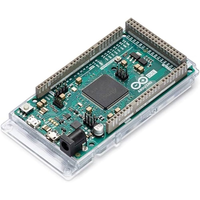
Arduino is an open-source electronics platform based on easy-to-use hardware and software. Arduino boards are able to read inputs - light on a sensor, a finger on a button, or a Twitter message - and turn it into an output - activating a motor, turning on an LED, publishing something online. You can tell your board what to do by sending a set of instructions to the microcontroller on the board. To do so you use the Arduino programming language and the Arduino Software (IDE).

 Join Our Monthly Newsletter

Get the latest news and popular articles to your inbox every month

We never send SPAM nor unsolicited emails

Serial communication between two Arduino boards

Available to registered members only
  • avatar
  • 1.7K Views
  • 9 mins read
Serial communication between two Arduino boards

Getting two Arduino boards to talk to each other opens up projects that a single board can't handle on its own. You might have one board reading sensors in one corner of a room and another driving a display somewhere else, and the two need to share what they know. Serial communication is one of the simplest ways to make that happen, and it works with almost any Arduino model you have lying around. This article walks through connecting two Arduino Nano boards and passing data back and forth over their serial ports.