serial


Getting started with Arduino Due

  • avatar
  • 1.2K Views
  • 6 mins read
Preview image

Arduino is an open-source electronics platform based on easy-to-use hardware and software. Arduino boards are able to read inputs - light on a sensor, a finger on a button, or a Twitter message - and turn it into an output - activating a motor, turning on an LED, publishing something online. You can tell your board what to do by sending a set of instructions to the microcontroller on the board. To do so you use the Arduino programming language and the Arduino Software (IDE).

Getting started with the HC-05 Bluetooth module

  • avatar
  • 858 Views
  • 1 Like
  • 16 mins read
Preview image

The HC-05 is one of the most popular Bluetooth modules in the Arduino ecosystem, and for good reason. It's affordable, well documented, and flexible enough to handle a wide range of use cases. It can operate as both a master and a slave device, meaning it can initiate connections to other Bluetooth devices as well as wait for them. For projects where you just need a phone to talk to an Arduino, that distinction doesn't matter much. But for anything more involved, like two Arduino boards communicating wirelessly, the HC-05 is the right tool for the job.

Serial communication between two Arduino boards

Available to registered members only
  • avatar
  • 610 Views
  • 9 mins read
Preview image

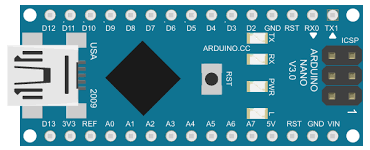
Getting two Arduino boards to talk to each other opens up projects that a single board can't handle on its own. You might have one board reading sensors in one corner of a room and another driving a display somewhere else, and the two need to share what they know. Serial communication is one of the simplest ways to make that happen, and it works with almost any Arduino model you have lying around. This article walks through connecting two Arduino Nano boards and passing data back and forth over their serial ports.

 Join Our Monthly Newsletter

Get the latest news and popular articles to your inbox every month

We never send SPAM nor unsolicited emails

Getting started with the HC-06 Bluetooth module

  • avatar
  • 121 Views
  • 19 mins read
Preview image

Adding wireless communication to an Arduino project usually starts with a Bluetooth serial module, and the HC-06 is one of the most common choices. It's cheap, widely available, and does one job well: it lets a phone or computer connect to your board and exchange data as if the two were joined by a cable. Four pins, one operating mode, and a small set of configuration commands is the whole picture. That simplicity comes with a real constraint though, and knowing it upfront saves time later, since the HC-06 only accepts incoming connections and can't reach out to another device on its own.