wiring schema


DYI - Programmed Christmas lights: code


  • avatar
  • 2.7K Views
  • 4 mins read
Preview image

Now that the hardware is set up, it’s time to add some magic with a custom program. Programming the Arduino Nano is where your project truly comes to life. This step transforms your fairy lights from simple decorations into a dynamic display that reacts and behaves exactly how you design it to. By using code, you can experiment with different effects, creating a lighting system that feels personal and unique. In this article, we’ll explore a sample code that controls the lights using predefined programs, offering a starting point for further creativity.

Regulated power supply module based on AMS1117

  • avatar
  • 3.2K Views
  • 5 Likes
  • 3 mins read
Preview image

We often use the power supplies like batteries or direct AC/DC supply which are normally in higher ranges compared to the actual requirement for the circuit. In that cases we need this kind of voltage regulators which can regulate and vary the voltage levels for the circuit requirement.

The AMS1117 series of chips are linear voltage regulators with low voltage drop. The modules based on the AMS1117 chip provide constant 3.3V or 5V outputs from an unregulated DC input. It's very compact and can be included in your project schema or you can use it together with a breadboard for circuit testing.

Interfacing USB to Serial converter module

  • avatar
  • 2.5K Views
  • 1 Like
  • 3 mins read
Preview image

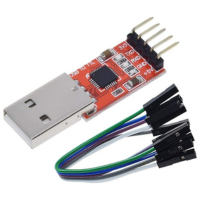
In electronic communication, the USB to UART serial converter module emerges as a crucial link, facilitating seamless data transfer between computers and UART-enabled devices. This unassuming yet indispensable device bridges the gap between USB and UART protocols. In this article, we will explore the necessity of this module, explain the user-friendly interfacing process, and highlight its critical pinout details.

 Join Our Monthly Newsletter

Get the latest news and popular articles to your inbox every month

We never send SPAM nor unsolicited emails

DYI - Programmed Christmas lights: mounting

  • avatar
  • 1.7K Views
  • 8 mins read
Preview image

Now that you're excited about the idea of custom Christmas lighting, it's time to focus on how to physically set everything up. Mounting is where your lighting project starts to take shape, turning ideas into something tangible. It’s the process of preparing and connecting the components that will bring your design to life. In this part, we'll focus on setting up the physical structure for your lighting. We'll outline how to connect your lights, controller, and power source to create a functional base for your project.

How to control servo motor with Arduino

  • avatar
  • 14.1K Views
  • 4 Likes
  • 8 mins read
Preview image

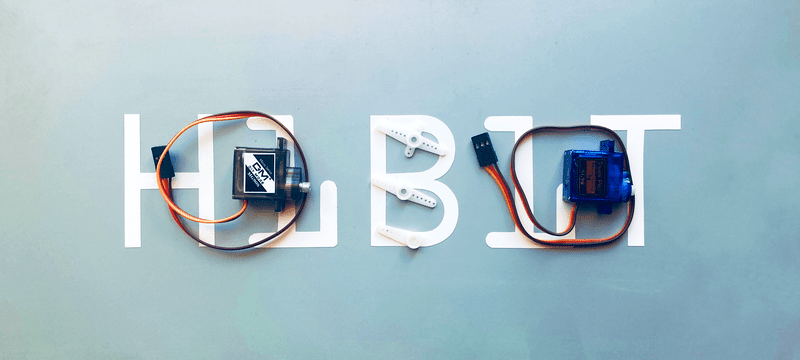
A servo motor is a type of motor that is designed to provide precise control of position and speed. It is a rotary actuator that can rotate to a specified angle with a high degree of accuracy. Servo motors are commonly used in a wide variety of applications, including robotics, factory automation, camera stabilization systems, and remote-controlled vehicles, to name a few.

Pressure and temperature measurement with GY-68

  • avatar
  • 8.5K Views
  • 1 Like
  • 6 mins read
Preview image

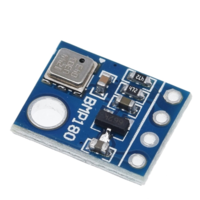
The GY-68 module, also known as the BMP180 module, is a popular sensor module used for measuring atmospheric pressure, temperature, and altitude. It features a highly precise digital barometric pressure sensor that can be easily integrated with an Arduino board. In this tutorial, we will guide you through the process of connecting the GY-68 module to an Arduino, enabling you to gather accurate environmental data for your projects. So, let's get started!

Getting started with Arduino Zero

  • avatar
  • 6.2K Views
  • 1 Like
  • 6 mins read
Preview image

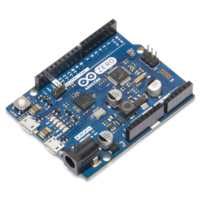
Arduino is an open-source electronics platform based on easy-to-use hardware and software. Arduino boards are able to read inputs - light on a sensor, a finger on a button, or a Twitter message - and turn it into an output - activating a motor, turning on an LED, publishing something online. You can tell your board what to do by sending a set of instructions to the microcontroller on the board. To do so you use the Arduino programming language and the Arduino Software (IDE).

Getting started with Arduino Mega

  • avatar
  • 6.5K Views
  • 2 Likes
  • 6 mins read
Preview image

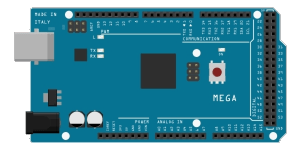
Arduino is an open-source electronics platform based on easy-to-use hardware and software. Arduino boards are able to read inputs - light on a sensor, a finger on a button, or a Twitter message - and turn it into an output - activating a motor, turning on an LED, publishing something online. You can tell your board what to do by sending a set of instructions to the microcontroller on the board. To do so you use the Arduino programming language and the Arduino Software (IDE).

Transistors: the building blocks of our digital world

  • avatar
  • 5.3K Views
  • 1 Like
  • 7 mins read
Preview image

Transistors are semiconductor devices that regulate the flow of electrical current within a circuit. Their invention in the mid-20th century marked a pivotal moment in electronics. Semiconductors, typically made of silicon or germanium, form the basis of transistors, granting them the ability to switch and amplify electrical signals. These devices have revolutionized the world of electronics, making way for the digital age by enabling the miniaturization of complex circuits and facilitating the rapid advancement of technology.

Getting started with Arduino Nano

  • avatar
  • 5.9K Views
  • 5 mins read
Preview image

Arduino is an open-source electronics platform based on easy-to-use hardware and software. Arduino boards are able to read inputs - light on a sensor, a finger on a button, or a Twitter message - and turn it into an output - activating a motor, turning on an LED, publishing something online. You can tell your board what to do by sending a set of instructions to the microcontroller on the board. To do so you use the Arduino programming language and the Arduino Software (IDE).