Merry Christmas and a Happy New Year!

  • avatar
  • 1.2K Views
  • 1 Like
  • 1 min read
Preview post image

This festive season, we wish you a Christmas filled with warmth, laughter, and unforgettable moments shared with those who matter most. May the season's magic light up your heart and bring joy to your days.

As the year winds down, let us welcome the New Year with open hearts and hopeful minds. May it be a year of new opportunities, boundless happiness, and great health for you and your loved ones.

DYI - Programmed Christmas lights: code

  • avatar
  • 2.0K Views
  • 4 mins read
Preview post image

Now that the hardware is set up, it’s time to add some magic with a custom program. Programming the Arduino Nano is where your project truly comes to life. This step transforms your fairy lights from simple decorations into a dynamic display that reacts and behaves exactly how you design it to. By using code, you can experiment with different effects, creating a lighting system that feels personal and unique. In this article, we’ll explore a sample code that controls the lights using predefined programs, offering a starting point for further creativity.

DYI - Programmed Christmas lights: mounting

  • avatar
  • 1.2K Views
  • 8 mins read
Preview post image

Now that you're excited about the idea of custom Christmas lighting, it's time to focus on how to physically set everything up. Mounting is where your lighting project starts to take shape, turning ideas into something tangible. It’s the process of preparing and connecting the components that will bring your design to life. In this part, we'll focus on setting up the physical structure for your lighting. We'll outline how to connect your lights, controller, and power source to create a functional base for your project.

 Join Our Monthly Newsletter

Get the latest news and popular articles to your inbox every month

We never send SPAM nor unsolicited emails

DYI - Programmed Christmas lights: concept

  • avatar
  • 1.1K Views
  • 2 mins read
Preview post image

The holiday season is here, and with it comes the joy of decorating and spreading cheer. One way to make your celebrations truly stand out is by creating your own custom Christmas lighting. A DIY project brings a personal touch, turning ordinary lights into something unique and memorable. Besides the festive fun, it's a creative way to learn and experiment with technology.

Setting up SQLite with Docker Compose

  • avatar
  • 25.8K Views
  • 23 Likes
  • 8 mins read
Preview post image

Creating a Docker image with an SQLite database is a smart way to ensure that your application runs consistently across different environments. Docker simplifies the deployment process by allowing developers to package applications with all their dependencies into a single container. SQLite, being a lightweight database, fits well into this scenario. In this article, we'll walk through the steps needed to create a Docker image that includes an SQLite database, using Docker Compose for easy management.

PHPStan 2.0 Released

  • 2.5K Views
  • 1 Like
  • 1 min read
Preview post image

It’s been over three years since PHPStan 1.0 came out, and the progress has been incredible. With 176 releases since then, it’s clear this tool isn’t slowing down. PHPStan 2.0 is here with smarter features, better performance, and tighter checks to make PHP development more reliable and efficient. Let’s break down the highlights of what’s new.

Connecting to an SQLite database with PHP

  • avatar
  • 4.4K Views
  • 5 mins read
Preview post image

SQLite is a lightweight, self-contained database engine that doesn't require a separate server to run. It's a popular choice for smaller applications, embedded systems, and situations where simplicity and minimal setup are crucial. In PHP development, SQLite is an excellent option for managing data without needing the complexity of larger database systems. Whether you're working on a small project or need a simple solution for data storage, SQLite can be a powerful tool. This article will guide you through using SQLite with PHP, showing how to set it up, perform common operations, and use it in your applications.

Setting up MySQL and Redis with Docker Compose

  • avatar
  • 5.5K Views
  • 1 Like
  • 6 mins read
Preview post image

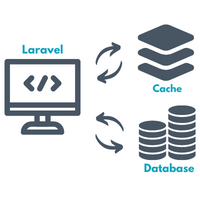
Docker has transformed the way developers deploy applications, offering an efficient method to package and distribute software. One common use case involves setting up a MySQL database alongside a Redis service. MySQL serves as a reliable relational database management system, while Redis acts as a high-performance in-memory key-value store. With Docker and Docker Compose, you can get both of these services up and connected in just a few steps. This article will guide you through creating a Docker environment that includes MySQL and Redis, giving you a smooth and reliable setup.