Boston Dynamics


Getting started with the HC-05 Bluetooth module

  • avatar
  • 1.6K Views
  • 1 Like
  • 16 mins read
Preview image

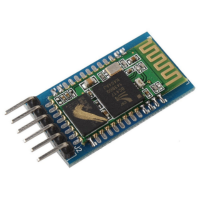
The HC-05 is one of the most popular Bluetooth modules in the Arduino ecosystem, and for good reason. It's affordable, well documented, and flexible enough to handle a wide range of use cases. It can operate as both a master and a slave device, meaning it can initiate connections to other Bluetooth devices as well as wait for them. For projects where you just need a phone to talk to an Arduino, that distinction doesn't matter much. But for anything more involved, like two Arduino boards communicating wirelessly, the HC-05 is the right tool for the job.

Serial communication between two Arduino boards

Available to registered members only
  • avatar
  • 1.2K Views
  • 9 mins read
Preview image

Getting two Arduino boards to talk to each other opens up projects that a single board can't handle on its own. You might have one board reading sensors in one corner of a room and another driving a display somewhere else, and the two need to share what they know. Serial communication is one of the simplest ways to make that happen, and it works with almost any Arduino model you have lying around. This article walks through connecting two Arduino Nano boards and passing data back and forth over their serial ports.

Getting started with the HC-06 Bluetooth module

  • avatar
  • 1.2K Views
  • 19 mins read
Preview image

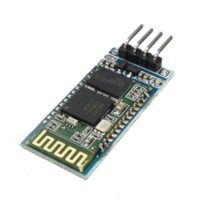
Adding wireless communication to an Arduino project usually starts with a Bluetooth serial module, and the HC-06 is one of the most common choices. It's cheap, widely available, and does one job well: it lets a phone or computer connect to your board and exchange data as if the two were joined by a cable. Four pins, one operating mode, and a small set of configuration commands is the whole picture. That simplicity comes with a real constraint though, and knowing it upfront saves time later, since the HC-06 only accepts incoming connections and can't reach out to another device on its own.

 Join Our Monthly Newsletter

Get the latest news and popular articles to your inbox every month

We never send SPAM nor unsolicited emails

How to create a Composer package from scratch

Available to Premium members only
  • avatar
  • 1.1K Views
  • 1 Like
  • 16 mins read
Preview image

A helper class, a small client wrapper or a set of validation rules often starts in one project and ends up copied into the next one. From that point the copies drift apart, a bug fixed in one of them stays open in the rest, and there is no version number to refer to when something changes.

Turning that code into a Composer package removes the copies. The requirements are modest, since a package is a directory containing a valid composer.json file, a Git repository hosting it, and a listing on Packagist that tells Composer where to find it.

Reading light levels with an LDR and Arduino

  • avatar
  • 1.0K Views
  • 1 Like
  • 12 mins read
Preview image

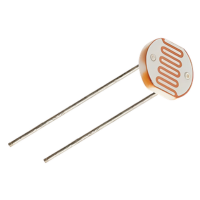
A light dependent resistor is a component that changes its electrical resistance according to how much light falls on it. Bright light makes it conduct easily, darkness makes it conduct poorly, and an Arduino can turn that difference into a number. It arrives in two forms. The raw component is a small disc with two legs, and it needs one extra resistor to work. The other form is a sensor module, a small board with the component already soldered on together with everything else the circuit needs, ready to connect to the Arduino with three or four jumper wires. Both versions do the same job and both show up in real projects. Automatic garden lights, night lights, display backlight dimming or simple daylight loggers all work on the same principle.